 Angryturtle
Google Business Profile Reinstatement Service
A suspended Google Business Profile removes your business from Google Maps and the local pack overnight, cutting off calls, direction requests, and walk-ins. Angryturtle's GBP reinstatement service is a done-for-you recovery process: we diagnose why the profile was suspended, assemble an evidence pack that proves your business is real and eligible, file the reinstatement appeal correctly, and manage every follow-up with Google until a decision is reached. Google alone decides the outcome — our job is to remove every reason for a "no" and maximise your chances of recovery.
·
In brief: A suspended Google Business Profile removes your business from Google Maps and the local pack overnight, cutting off calls, direction requests, and walk-ins. Angryturtle's GBP reinstatement service is a done-for-you recovery process: we diagnose why the profile was suspended, assemble an evidence pack that proves your business is real and eligible, file the reinstatement appeal correctly, and manage every follow-up with Google until a decision is reached. Google alone decides the outcome — our job is to remove every reason for a "no" and maximise your chances of recovery.
A suspension is rarely random. Google's automated systems and manual reviewers flag profiles against the Business Profile guidelines, and Indian businesses in sensitive categories — healthcare, finance, legal, home services — get caught disproportionately. The good news: most suspensions are recoverable when the appeal is handled methodically instead of emotionally.
What a GBP suspension actually looks like
There are two suspension states, and they need different handling:
- Soft suspension: the profile still exists but you lose the ability to manage it, or the listing shows as "suspended" in your dashboard while sometimes still appearing publicly. Edits are locked.
- Hard suspension: the listing is removed from Google Maps and Search entirely. Customers can no longer find you, and your reviews disappear from public view.
Either way, the fix is the same pathway — a reinstatement request — but hard suspensions carry real revenue urgency because you are invisible from day one.
Why Google Business Profiles get suspended
Most suspensions trace back to a guideline violation, a trust signal mismatch, or a technical trigger. The common causes we see for Indian businesses:
- Keyword-stuffed business names. Adding "Best Dentist in Andheri" or "Cheap Packers Movers Delhi 24x7" to the name field is one of the top triggers. Google wants the real-world, on-the-signboard name only.
- Sensitive categories. Healthcare (clinics, diagnostics, hospitals, individual practitioners), finance (loans, insurance, chit funds), and legal profiles face stricter automated and manual review, so minor issues that a retail shop would survive can suspend a clinic.
- Address and location problems. Virtual offices, coworking desks, PO boxes, addresses that don't match a verifiable premises, or a service-area business displaying a physical address it shouldn't. Registered-office-versus-operating-address mismatches are very common in India.
- Duplicate listings. The same business with multiple profiles at one address, or overlapping profiles created by different staff over the years, trips Google's duplicate detection.
- Ineligible business model. Lead-generation fronts, businesses operating out of residential addresses without customer-facing presence, or a single practitioner listed as a full clinic.
- Sudden edits. Changing name, address, phone, or category all at once — especially just after a big review influx — looks like account takeover to Google's systems.
- Verification and duplicate-owner signals. Managing many unrelated listings from one account, or repeatedly failing video verification.
The reinstatement process, step by step
- Do not spam appeals. Filing multiple reinstatement requests before Google responds can auto-reject all of them. One correctly built appeal beats ten rushed ones.
- Identify the exact violation. The suspension email is vague, so the real cause has to be inferred from the profile's history and current state.
- Fix the underlying issue first. Reverting a keyword-stuffed name, correcting the address, or removing a non-compliant attribute — before appealing, not after.
- Assemble proof of legitimacy. Google wants evidence the business is real, operating, and eligible at the stated location.
- File the reinstatement request through the official Business Profile support flow, with a clear, factual explanation and the evidence attached.
- Respond to follow-ups. Google frequently asks for additional documents or a video verification. Missing or slow responses end the appeal.
- Escalate if wrongly rejected. A first rejection is not final — a documented, well-reasoned escalation is often what recovers the listing.
What Angryturtle does — Diagnosis, Cost optimization, Growth
Diagnosis. We audit the suspended profile against the current Business Profile guidelines, review its full edit history, check for duplicates and address conflicts, and pinpoint the most likely trigger. You get a plain-language report of what went wrong and why.
Cost optimization. A suspension is pure lost revenue while it lasts, so we move to remove every avoidable risk in one pass rather than dragging the profile through repeated rejected appeals. We fix the root cause, clean up duplicates, correct NAP (name, address, phone) data, and prepare the profile to survive the re-review — protecting the review base and ranking equity you already paid to build.
Growth. Recovery is the floor, not the ceiling. Once reinstated, we stabilise and re-optimise the profile — categories, services, description, photos, posts, and review flow — so it comes back stronger and more defensible than before the suspension.
Concretely, our reinstatement engagement includes:
- Root-cause diagnosis and a compliance gap report
- An evidence pack: proof-of-address (utility bill, rent agreement, GST certificate), business registration/licences, category-specific credentials (for healthcare, practitioner registration; for regulated trades, the relevant licence), signage photos, and operational proof
- Correcting the violation on the profile before filing
- Drafting and filing the reinstatement appeal
- Managing all Google follow-ups, document requests, and video verification
- Escalation handling if the first decision is a wrongful rejection
- Post-reinstatement optimisation and a prevention plan
Typical timelines
Reinstatement is not instant, and anyone promising a fixed date is guessing.
| Stage | Typical window |
|---|---|
| Diagnosis + evidence pack | 2–4 working days |
| Appeal filed to first Google response | 3–14 days |
| Additional-info / video verification round | 3–7 days per round |
| Straightforward cases resolved | ~1–2 weeks |
| Complex / previously-rejected cases | 3–6 weeks with escalations |
Timelines depend entirely on Google's review queues and the complexity of the case. Sensitive categories and profiles with prior rejections take longer.
Prevention — staying reinstated
Getting the listing back is only half the value. To keep it:
- Use the exact real-world business name — no keywords, no city, no taglines.
- Keep NAP identical across your website, GBP, JustDial, Practo, IndiaMART, and every citation.
- Make big changes gradually, not all at once, and never immediately after a review spike.
- Keep documentation current so re-verification is painless.
- Avoid virtual offices and shared desks as your primary address if you rely on GBP.
- Audit for and merge duplicate listings before Google finds them.
- For multi-location brands, govern profiles centrally so no branch manager introduces a violation.
Frequently asked questions
Can you guarantee my Google Business Profile will be reinstated?
No, and you should distrust anyone who does. Google is the sole decision-maker on reinstatement. What we guarantee is process quality: correct diagnosis, a complete evidence pack, a properly filed appeal, and full follow-up management — everything within our control to maximise your chances of recovery.
Why was my clinic suspended when a nearby shop with the same setup wasn't?
Healthcare is a sensitive category subject to stricter automated and manual review. Issues that a retail listing survives — a slightly mismatched address, a shared premises, an unusual name edit — can suspend a clinic or diagnostics centre. We prepare healthcare appeals with the extra credentials Google expects.
Should I just create a new listing instead of appealing?
Almost never. A new listing throws away your reviews, ranking history, and photos, and if the original violation isn't fixed, the new profile gets suspended too — sometimes flagging your whole account. Reinstating the existing profile is the right path in the large majority of cases.
How long should I wait before appealing again if I'm rejected?
Don't fire off repeat appeals — that can auto-reject everything. After a rejection we review what Google likely objected to, strengthen the evidence, and file a documented escalation. A first "no" is frequently reversible when handled properly.
What documents will you need from me?
Typically proof of address (utility bill, registered rent agreement, or GST certificate), business registration, category-specific licences or registrations, and clear photos of your signage and premises. We tell you exactly what's needed for your category after diagnosis.
Will a suspension hurt my rankings after I'm reinstated?
There can be a short settling period once the profile is restored, but reviews and profile history return. We use the post-reinstatement window to re-optimise categories, services, and content so the listing recovers visibility and comes back more resilient.
See also: GBP management services, managed local SEO, healthcare local SEO, our local SEO glossary, and book a consultation or request a demo.
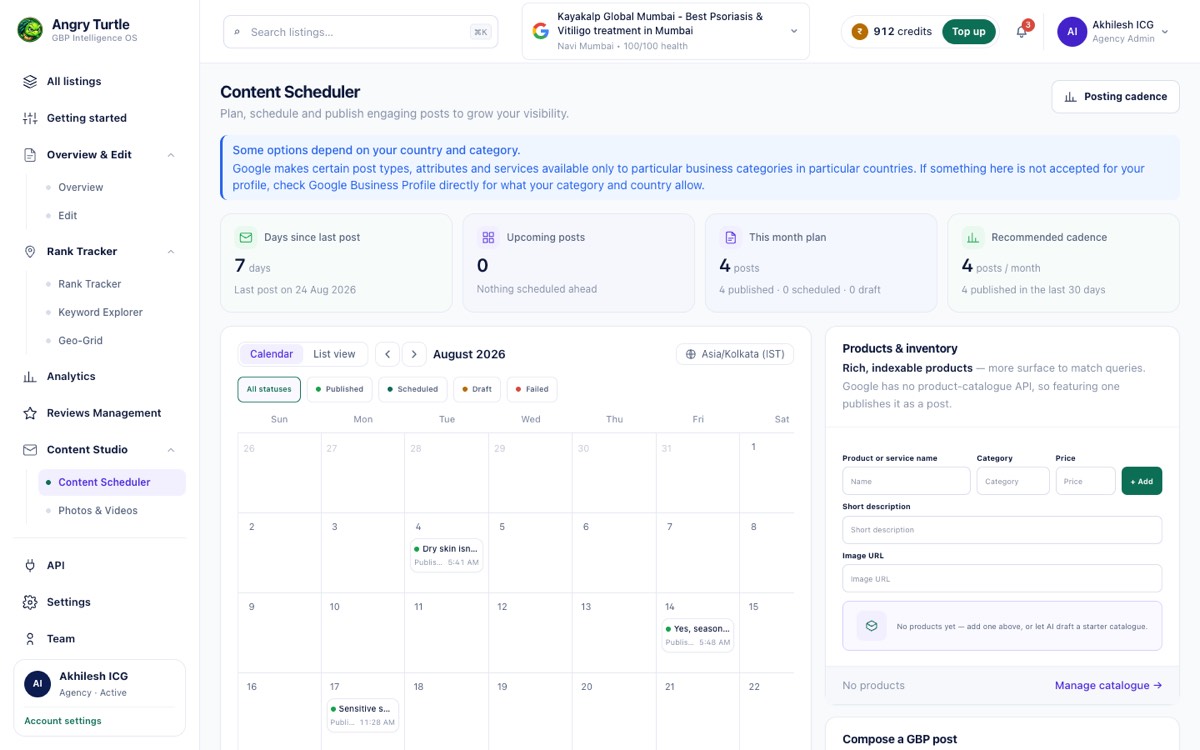
Write it, schedule it, and it publishes to Google
Posts, photos, products and review replies are composed here and publish live to the Google profile — timezone-correct to the listing. Most tools in this category are read-only or stop at a recommendation.
Ready to have this run for you?
Book a free audit — we'll show you where you stand in 48 hours.