 Angryturtle
Every screen. Nothing staged.
20 unretouched screenshots of the live Angryturtle console, in the order the work actually runs: diagnose the portfolio, fix the constraint, then grow. No mockups, no illustrations of features that do not exist yet.
In brief
Angryturtle.ai is a Google Business Profile and local SEO platform that scores every profile you run, maps where each one actually ranks across its service area, writes fixes back to Google, and tracks reviews, posts and media on a monthly cadence. The screenshots on this page are the product as it ships today.
Diagnosis
Before anything is bought or fixed: what state is every profile in, and where does the business actually place?
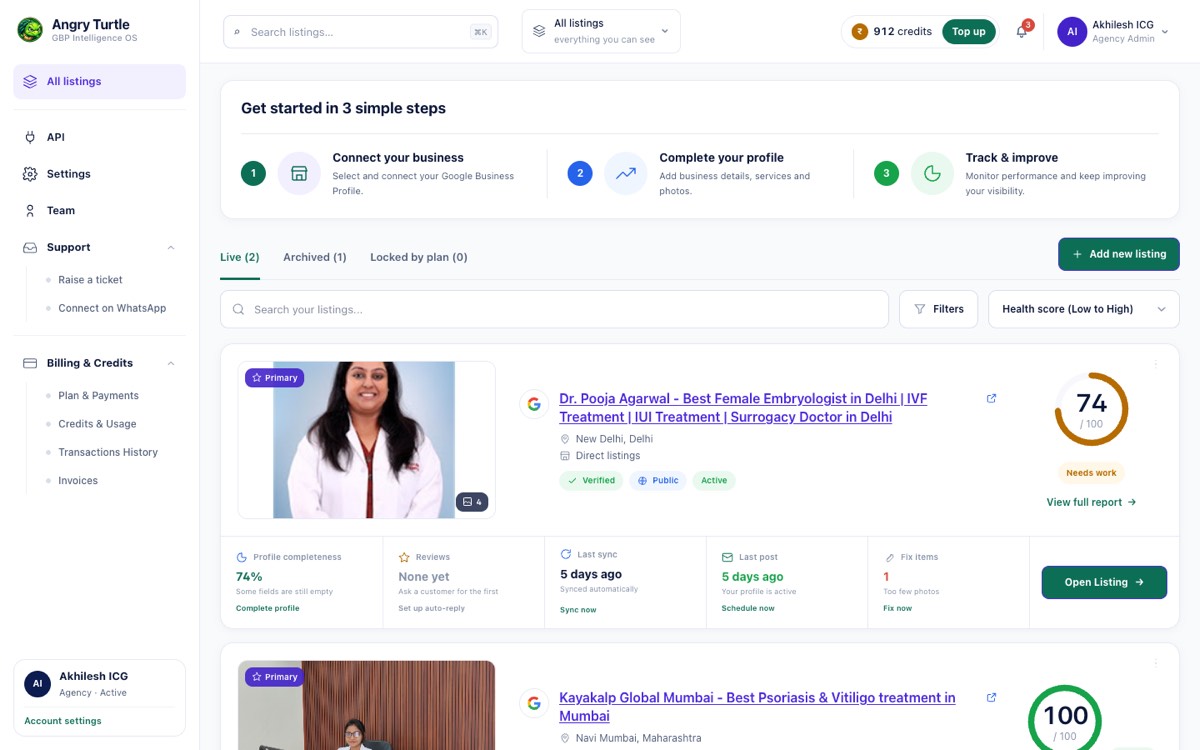
Every profile. Worst first.
The whole portfolio in one table, sorted by health score, so the weakest listing is the first thing you see rather than something you go looking for.
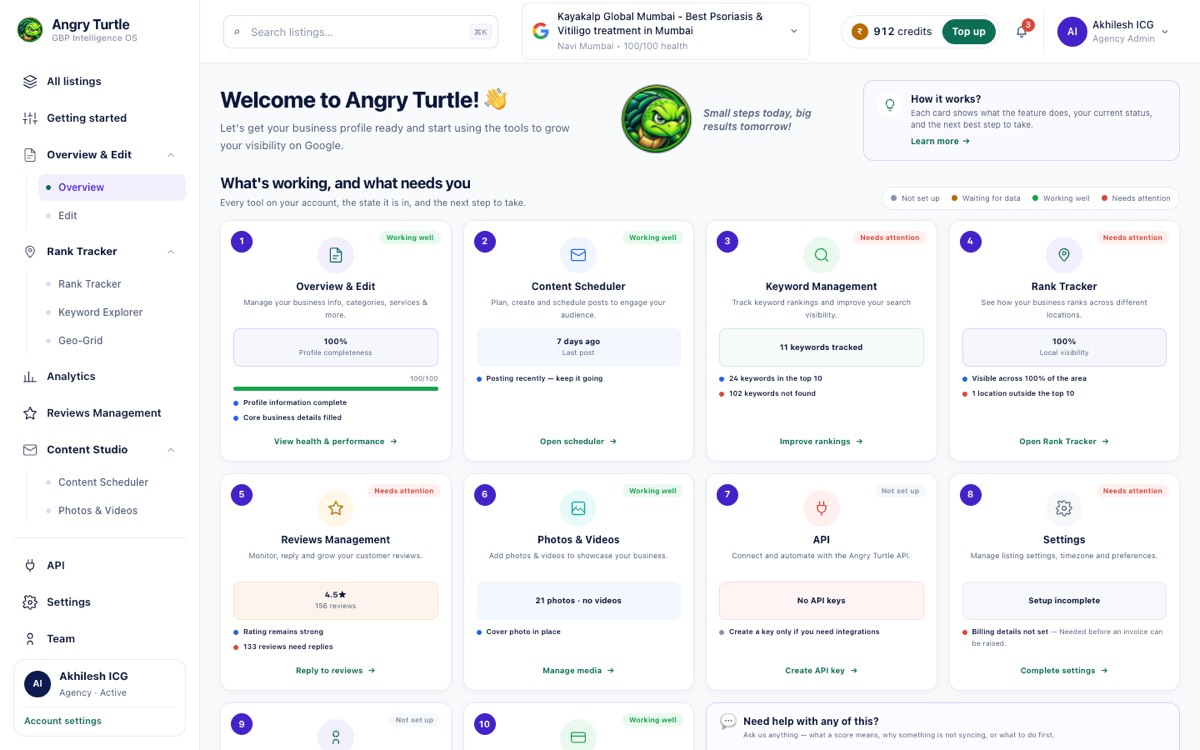
Ten dimensions. Named gaps.
One listing scored dimension by dimension, with the gaps named instead of rolled into a single grade.
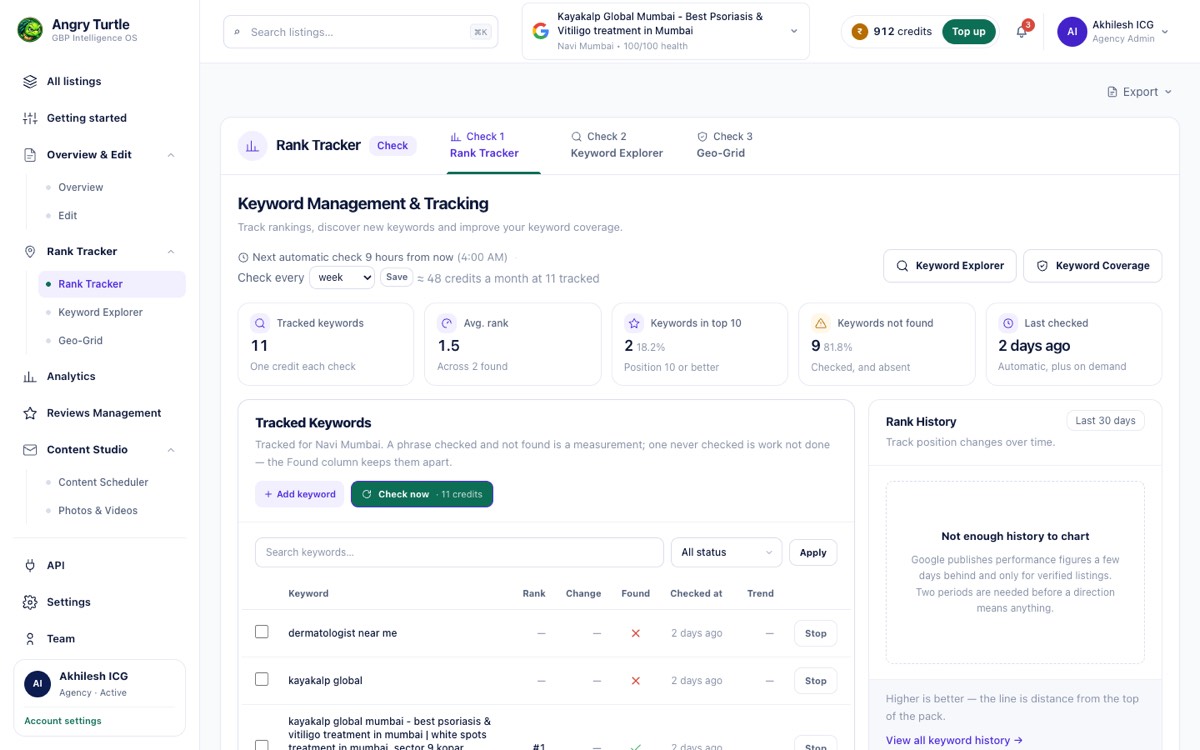
Position, tracked over time.
Tracked keywords with rank, change, whether the phrase was found at all, and when it was last checked. A phrase checked and not found is a measurement; one never checked is work not done.
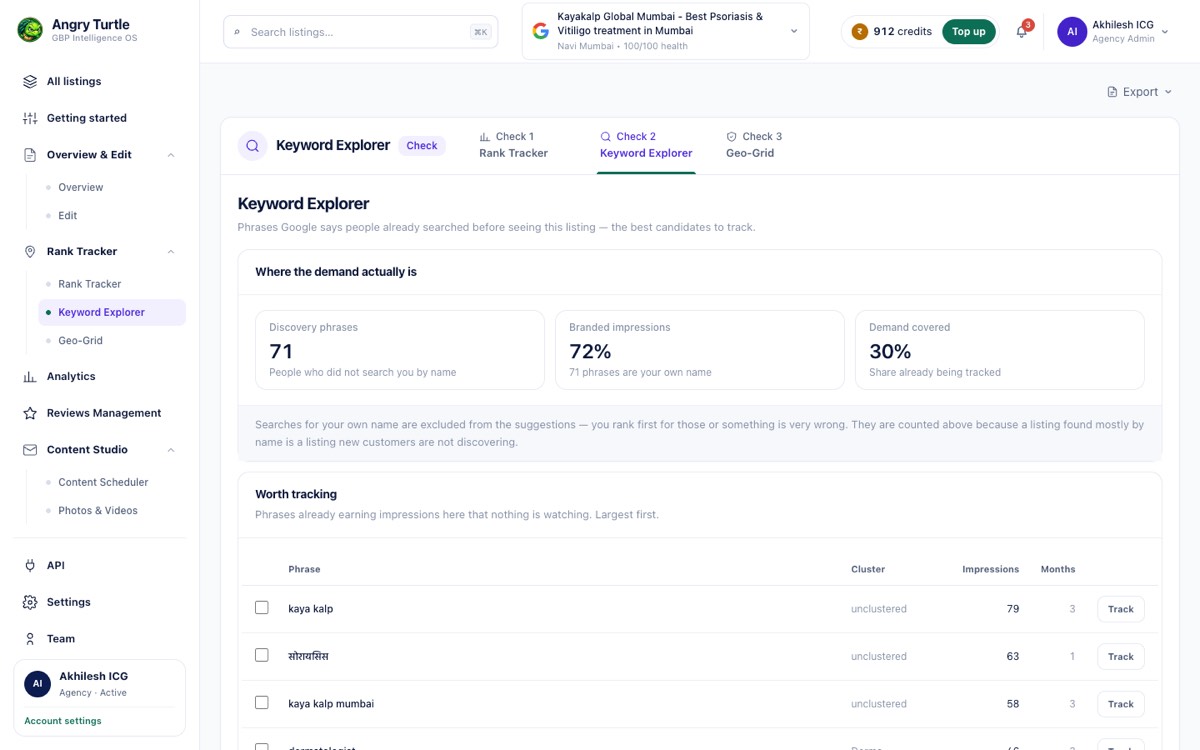
The demand behind the position.
Keyword Explorer surfaces the phrases in the category you are not tracking yet, so the tracking list is chosen rather than inherited.
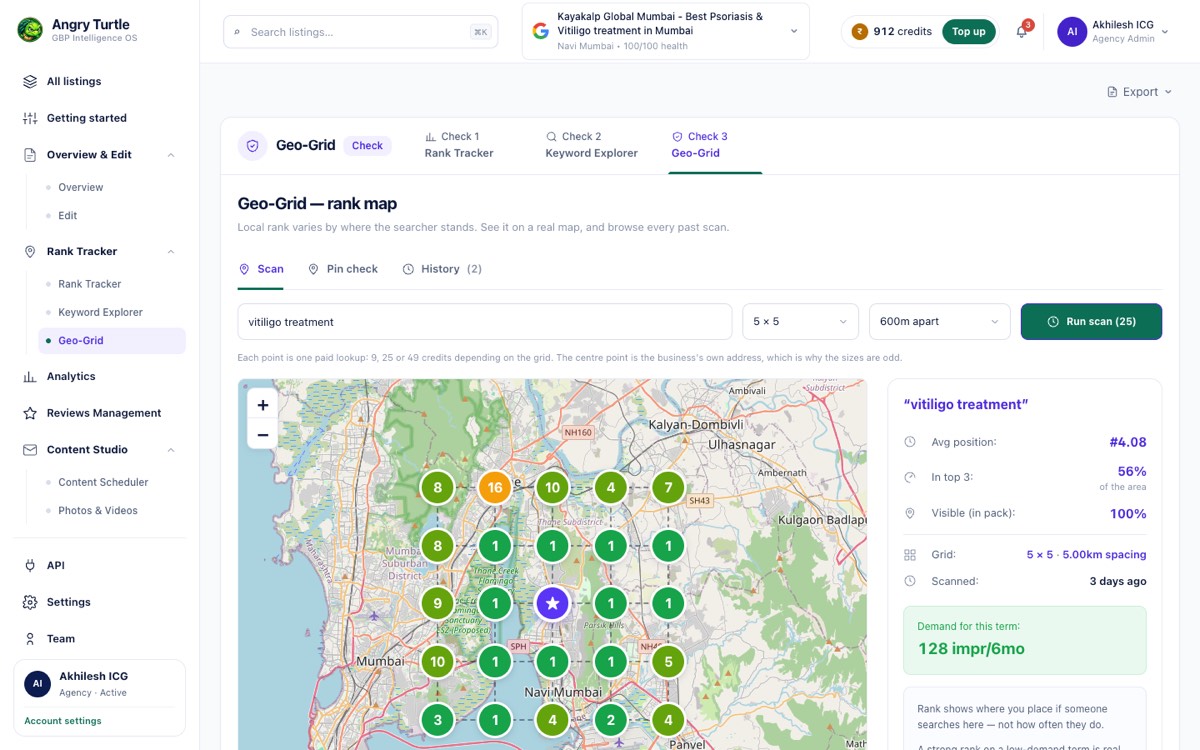
Rank changes street by street.
A geo-grid over the service area for one keyword. Average position is a summary; the map is where the ranking actually is.
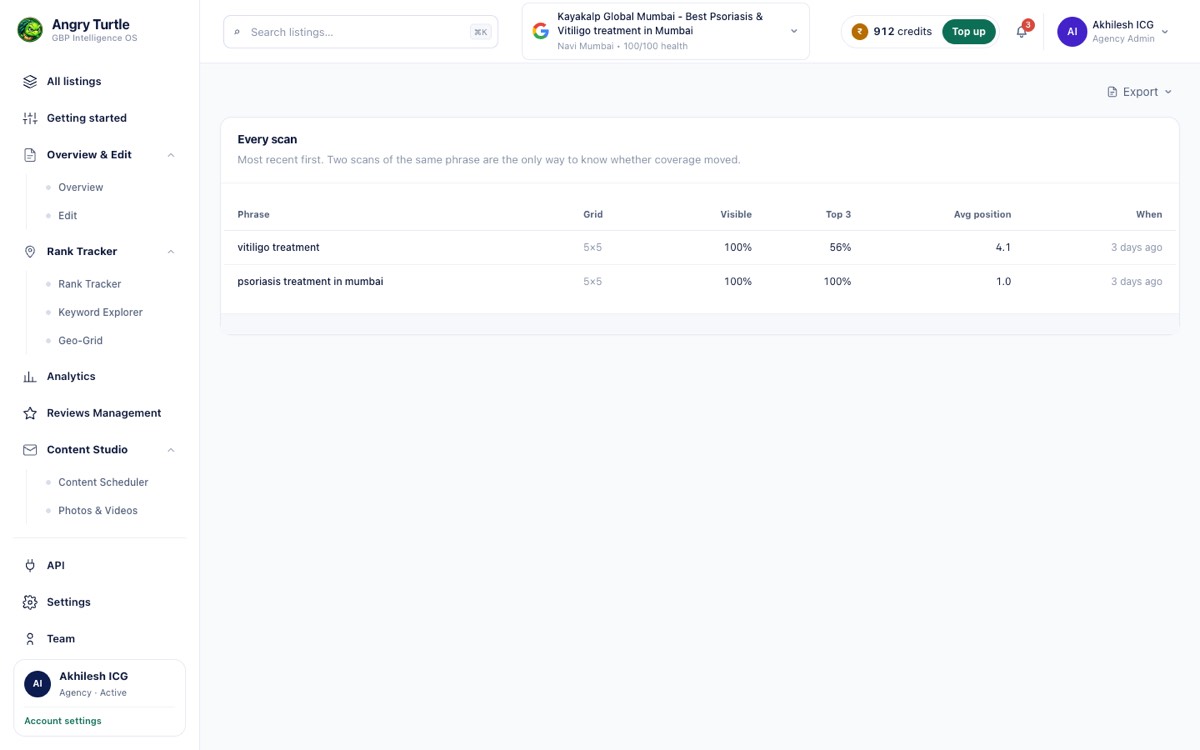
Every scan kept.
The full scan history for the listing. This is what makes a before-and-after claim defensible three months later.
Cost & effort optimisation
Fix the constraint before adding spend, and stop the work costing more effort than it needs to.
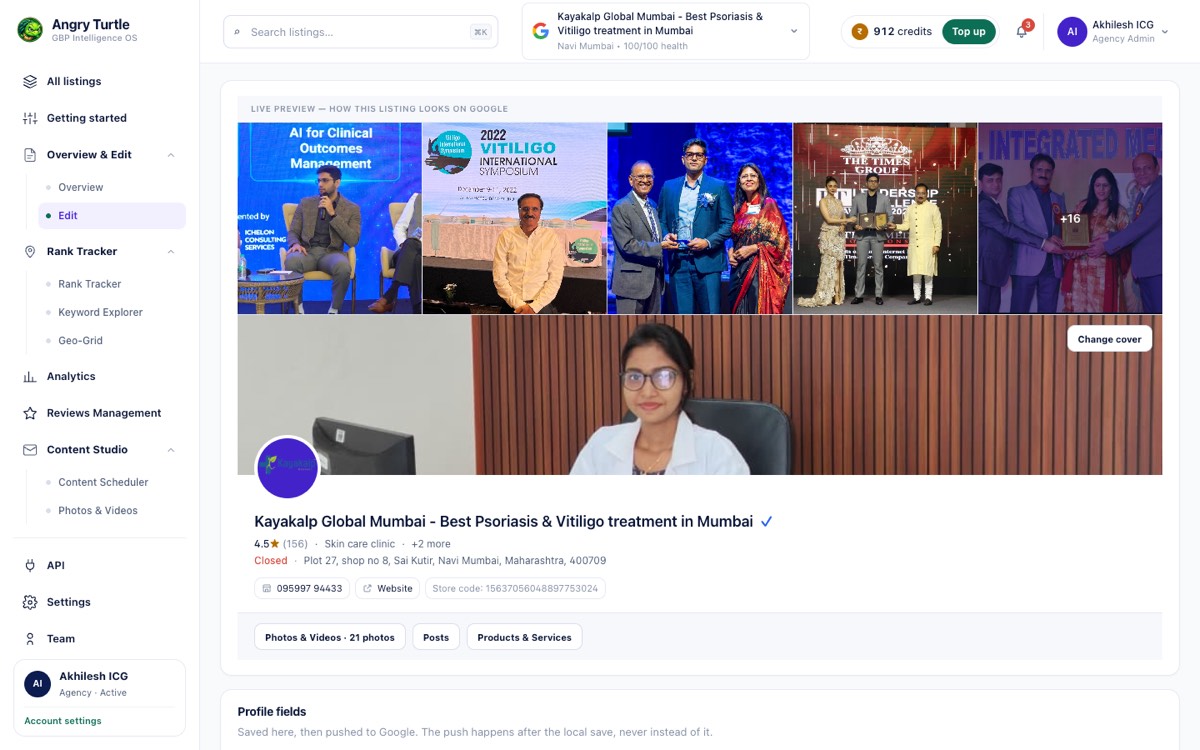
Fixed at source, not in a spreadsheet.
The edit screen writes back to Google. Name, categories, hours, attributes and description are changed here and pushed, rather than logged for someone to re-key later.
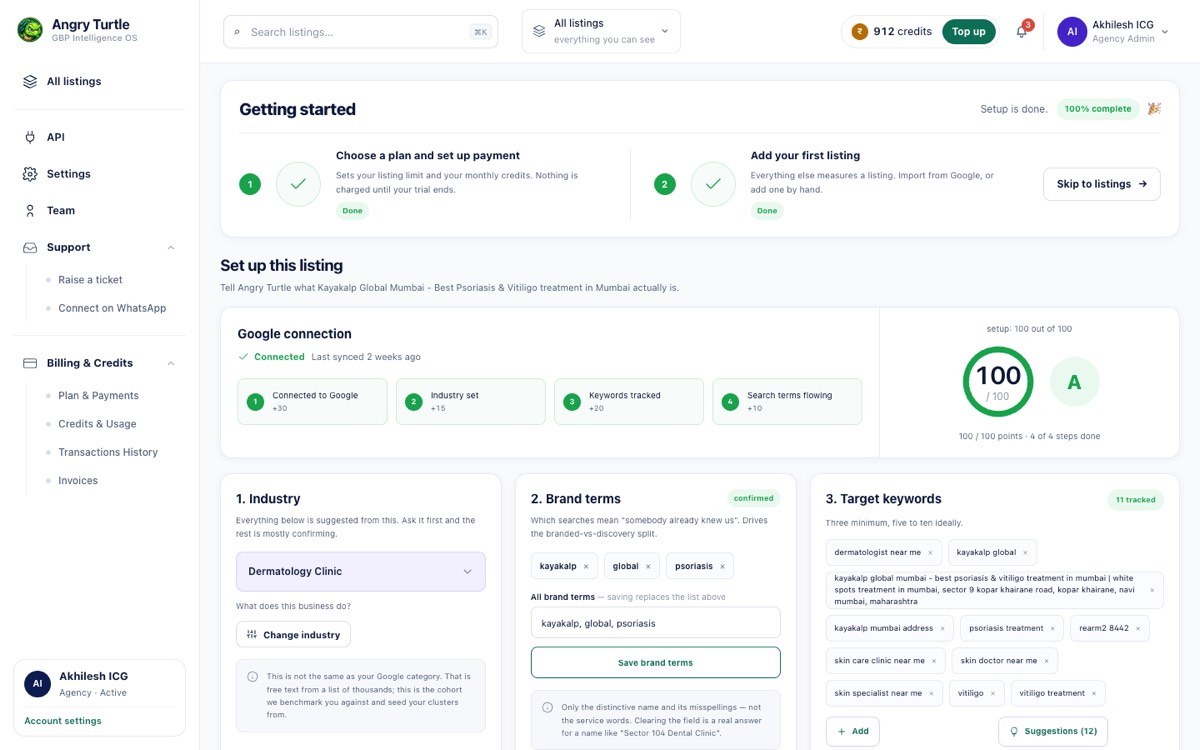
Onboard right, or clean up later.
A guided setup for a newly connected profile, so the first week produces a baseline instead of a backlog.
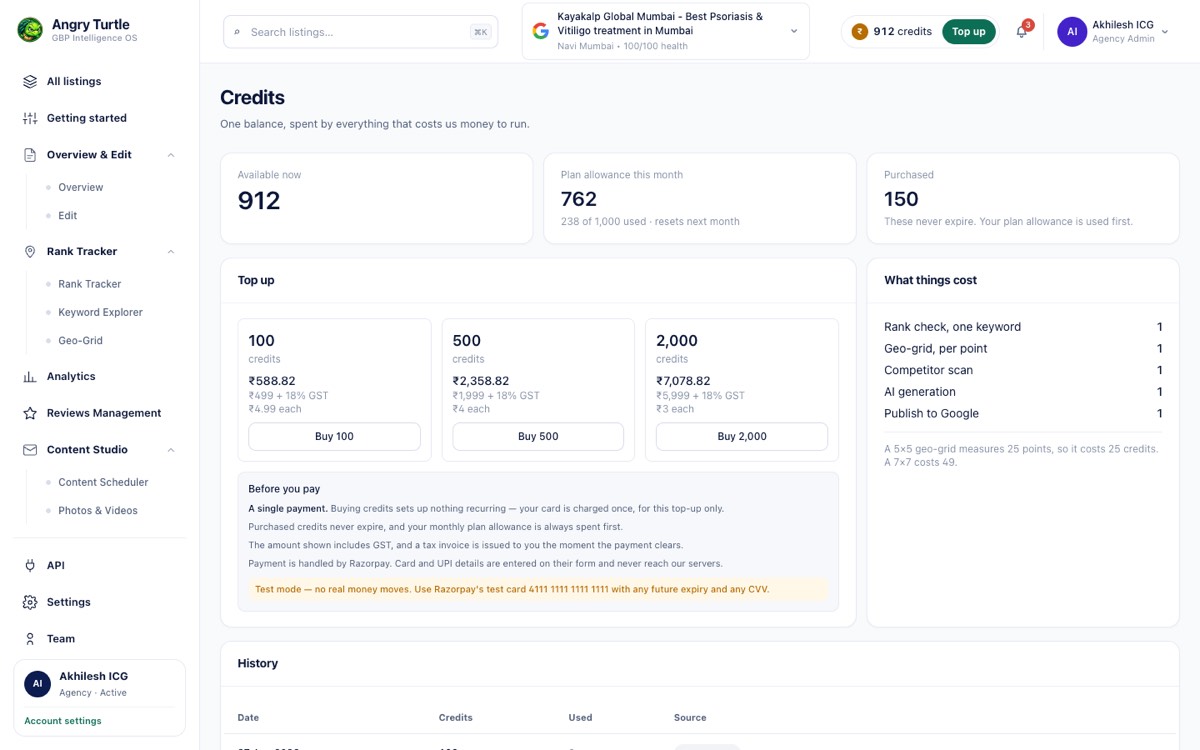
Spend you can see.
Credit usage broken down by what consumed it. Checks, scans and AI drafts each cost credits, and the ledger says where they went.
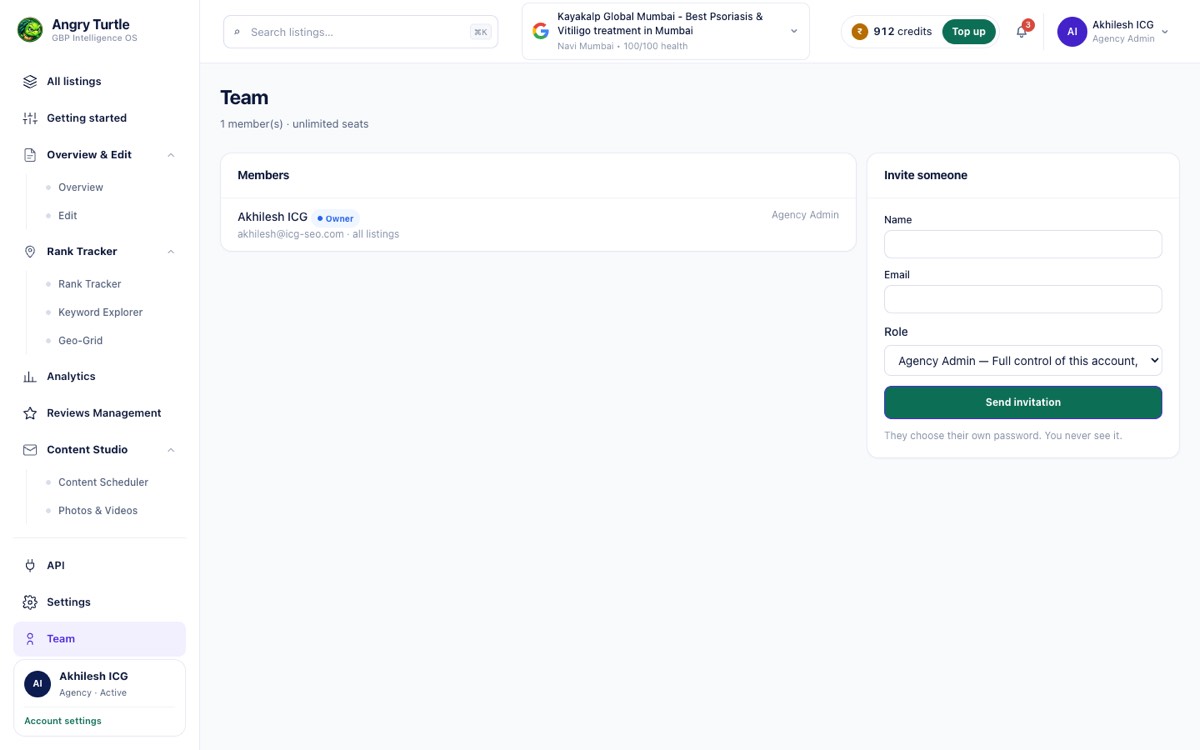
Access without the portfolio.
Role-based team access, so an executive or an agency junior can work one listing without being handed every listing.
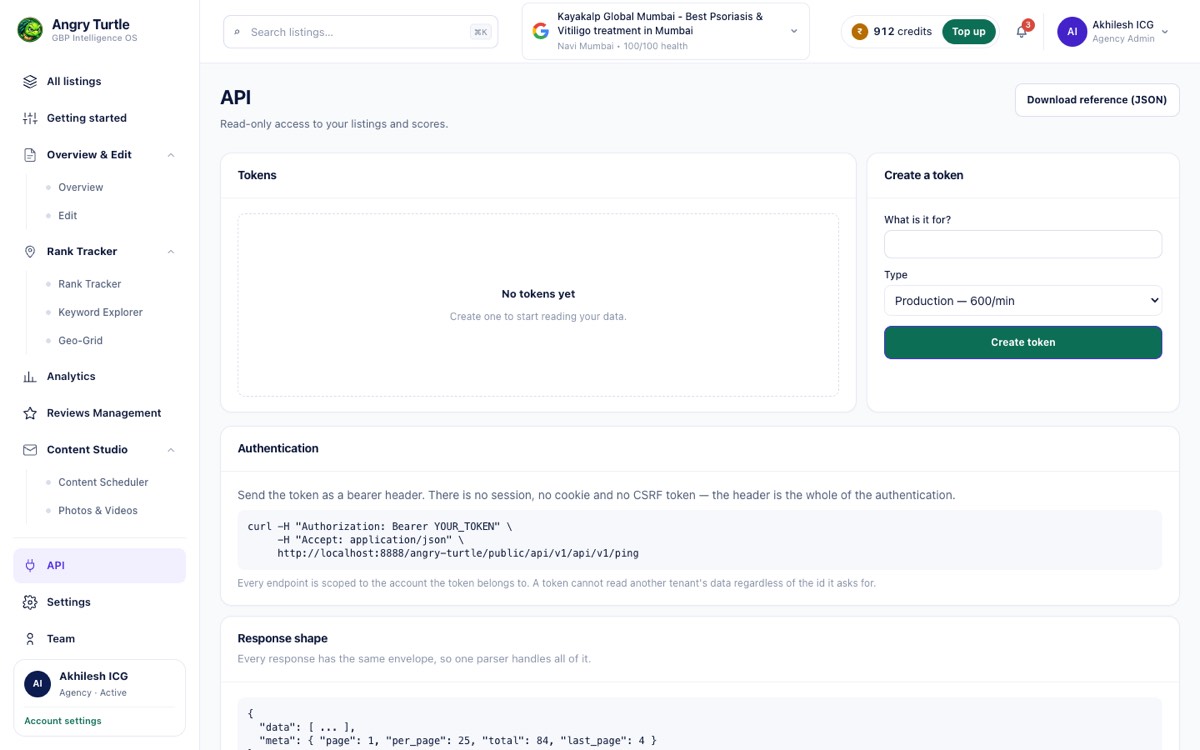
Wire it into what you already run.
API tokens for pulling listing and rank data into your own reporting or BI stack.
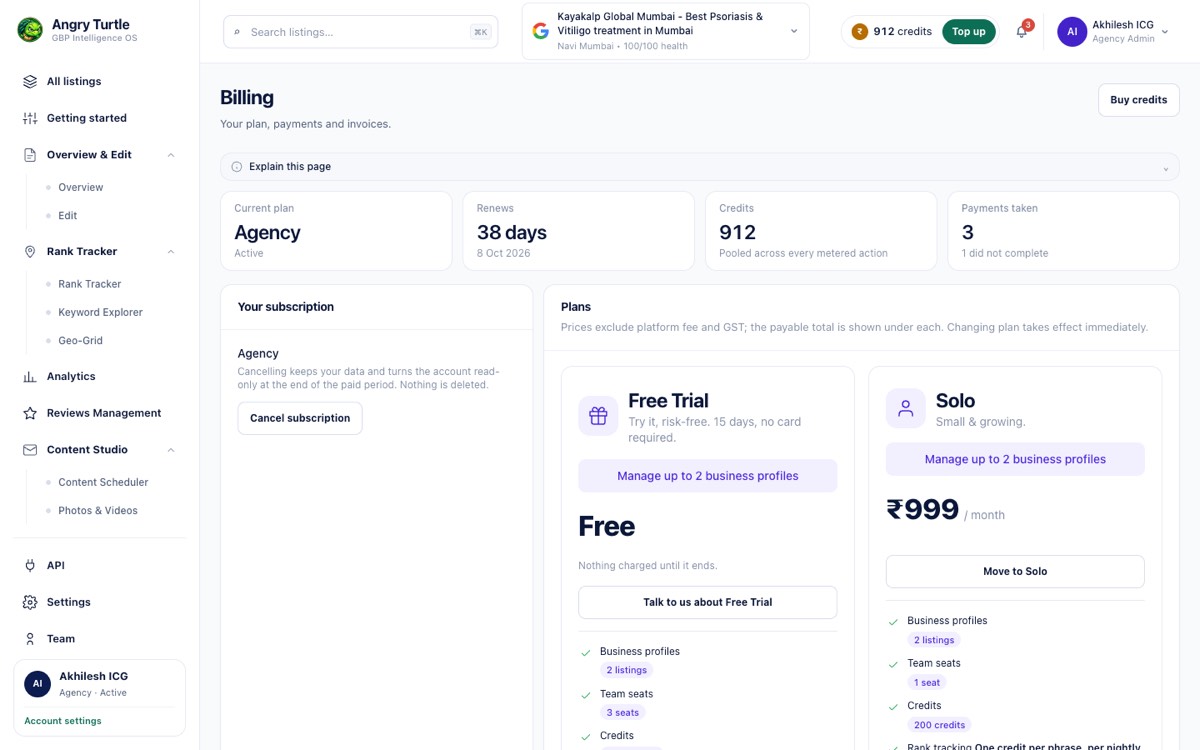
Plan and billing in the open.
Current plan, listing allowance and payment history in one place.
Growth
The compounding work: reviews arriving steadily, posts going out, media kept fresh, and a number that proves it moved.
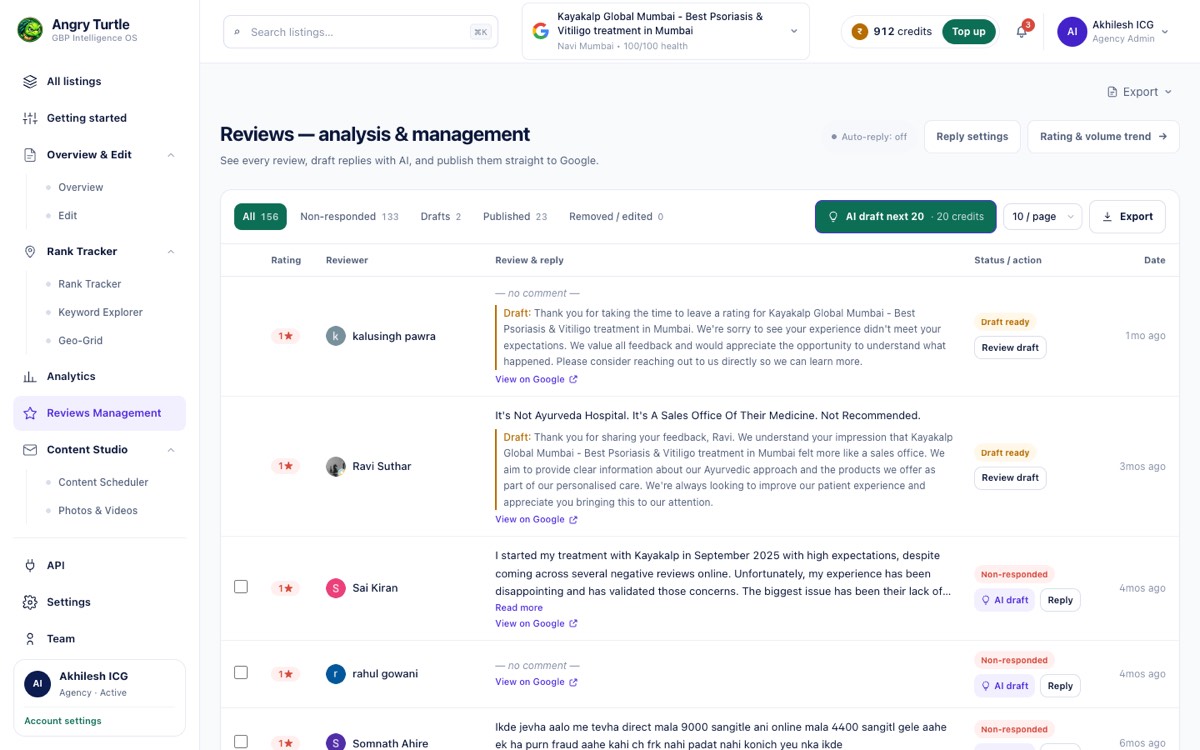
Replies that reach Google.
Reviews with AI-drafted, on-brand replies that publish to Google from here. The reply is the product, not the draft.
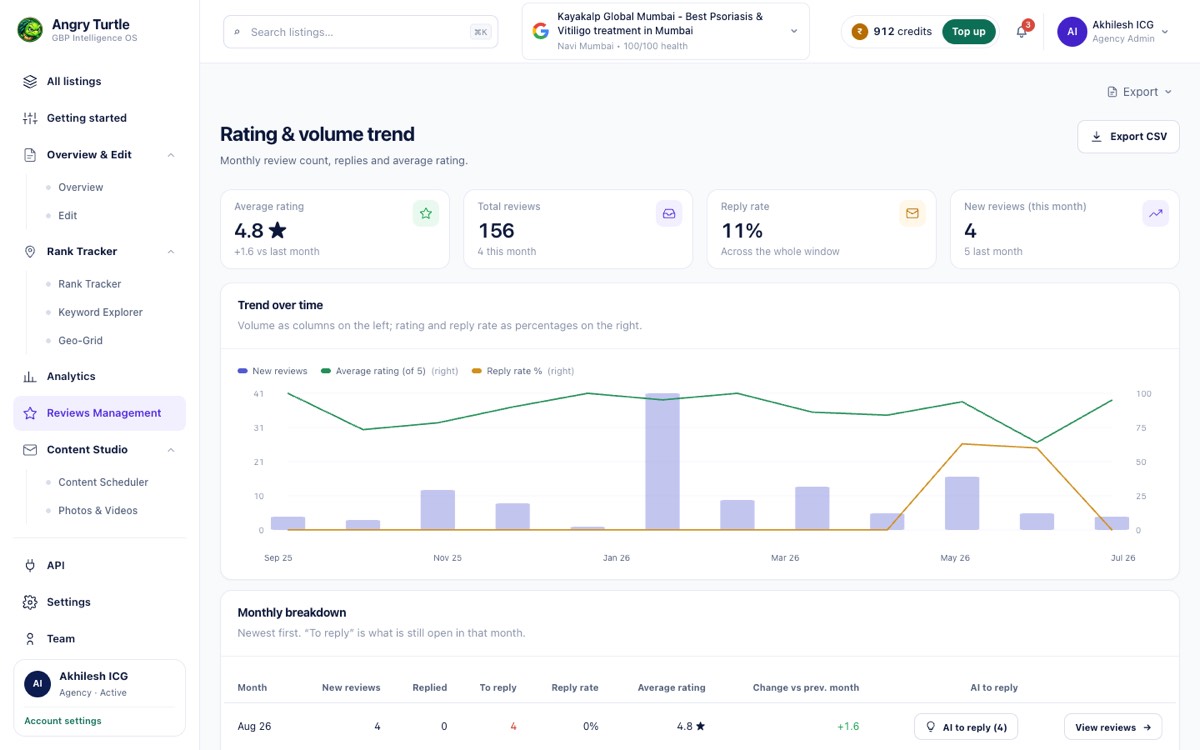
Reputation as a line, not an average.
Rating over time, which is the figure that tells you whether recent service changed anything. A lifetime average hides it.
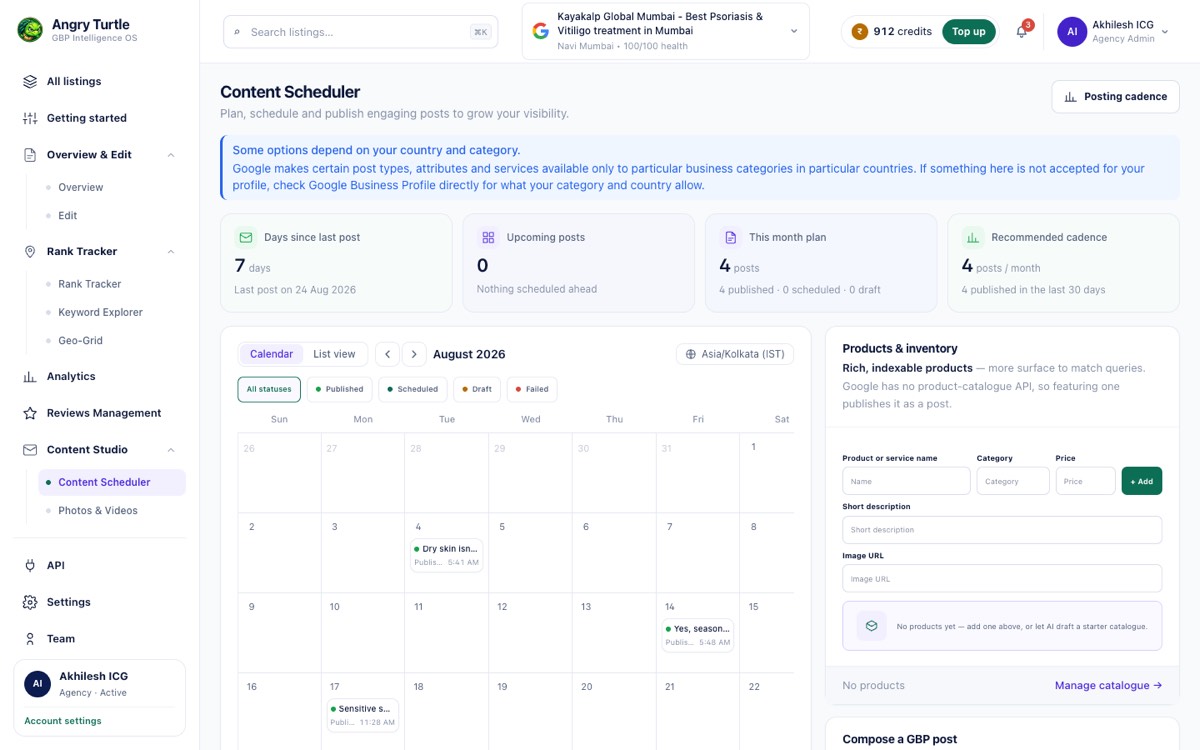
Planned in a calendar.
A month view for planning Google posts across the profiles you run.
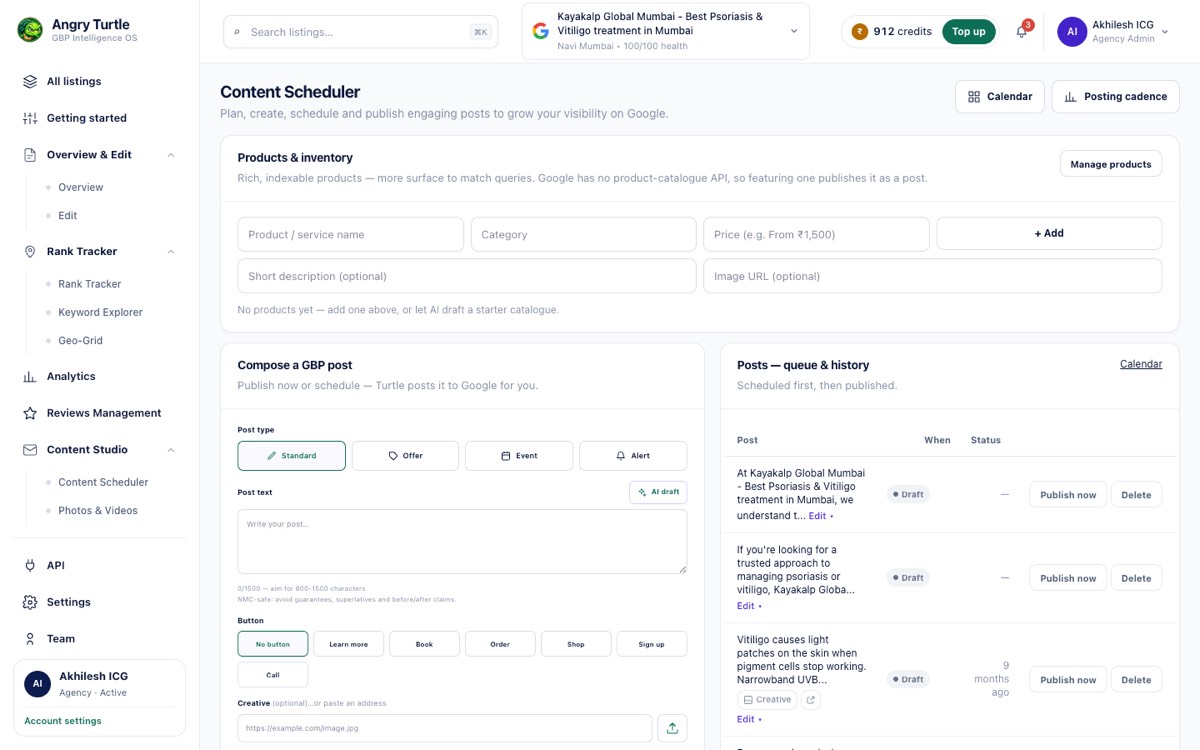
Then actually published.
The queue that shows what went out, what is pending and what failed — the half most content tools leave you to trust.
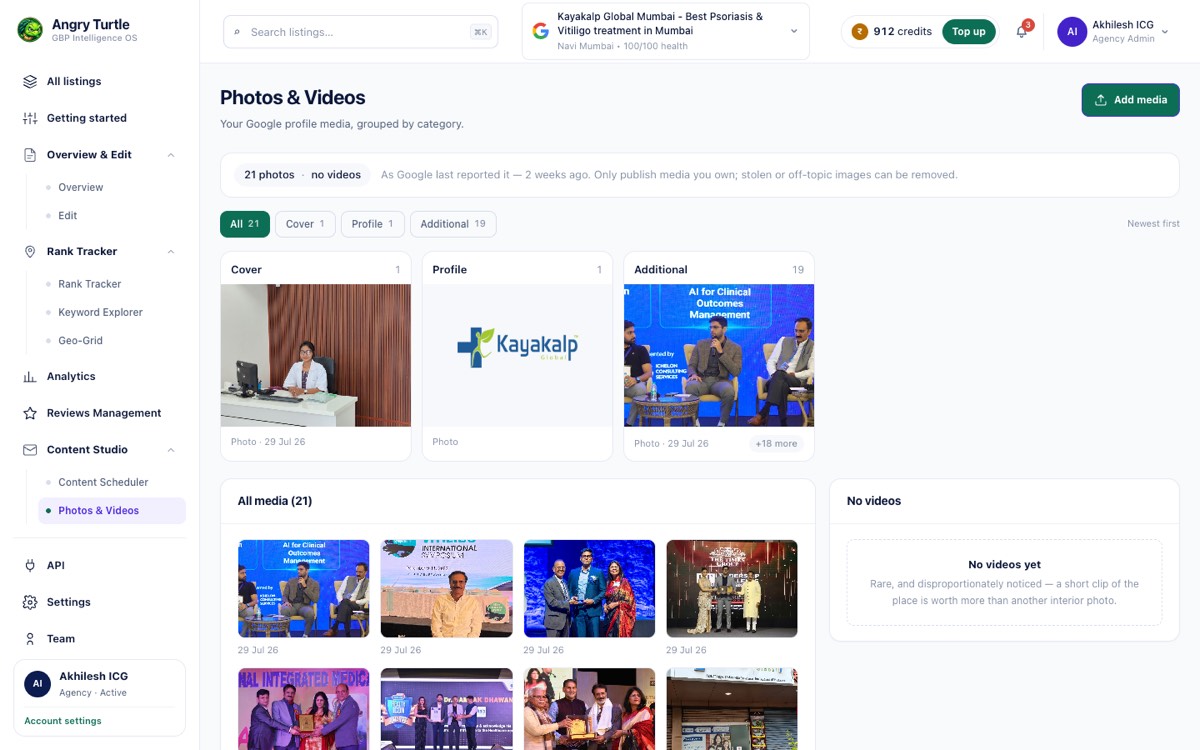
Media freshness is scored, not cosmetic.
Photos and videos managed per listing, because image recency is one of the dimensions the health score reads.
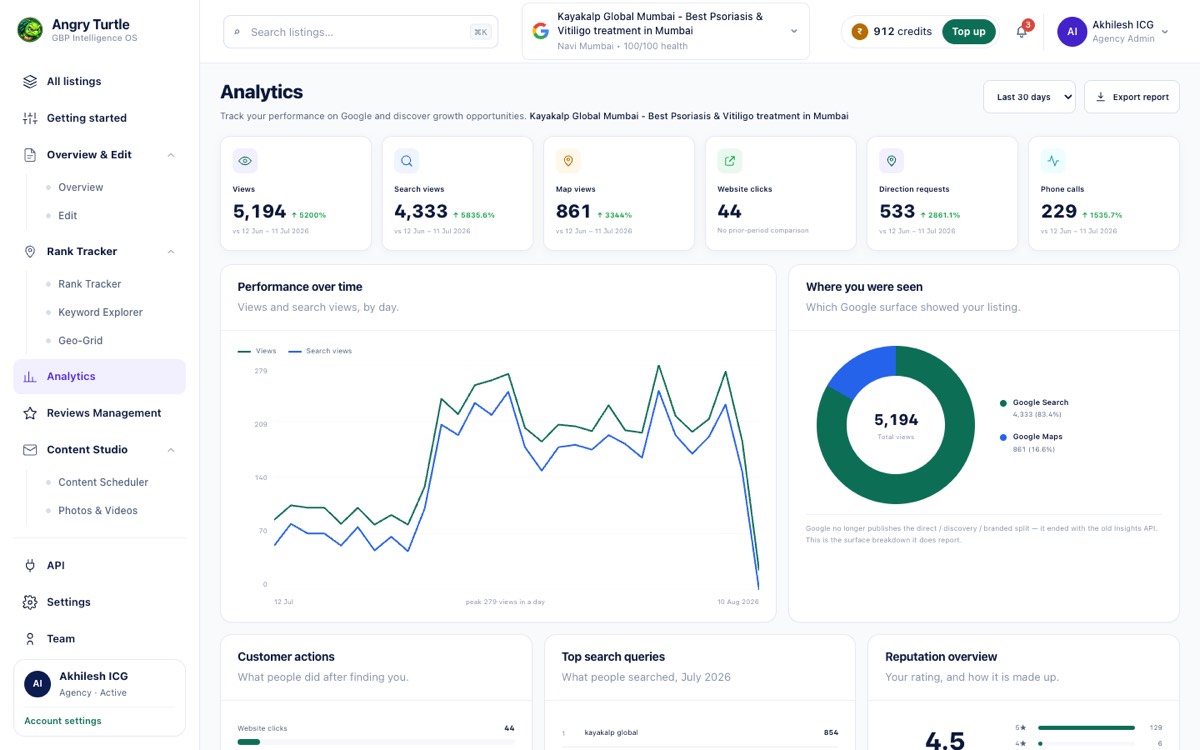
Google's own counters.
Calls, direction requests, website clicks and searches as Google reports them. Nothing modelled, nothing estimated.
The rest of the console
The parts nobody demos, and everybody uses.
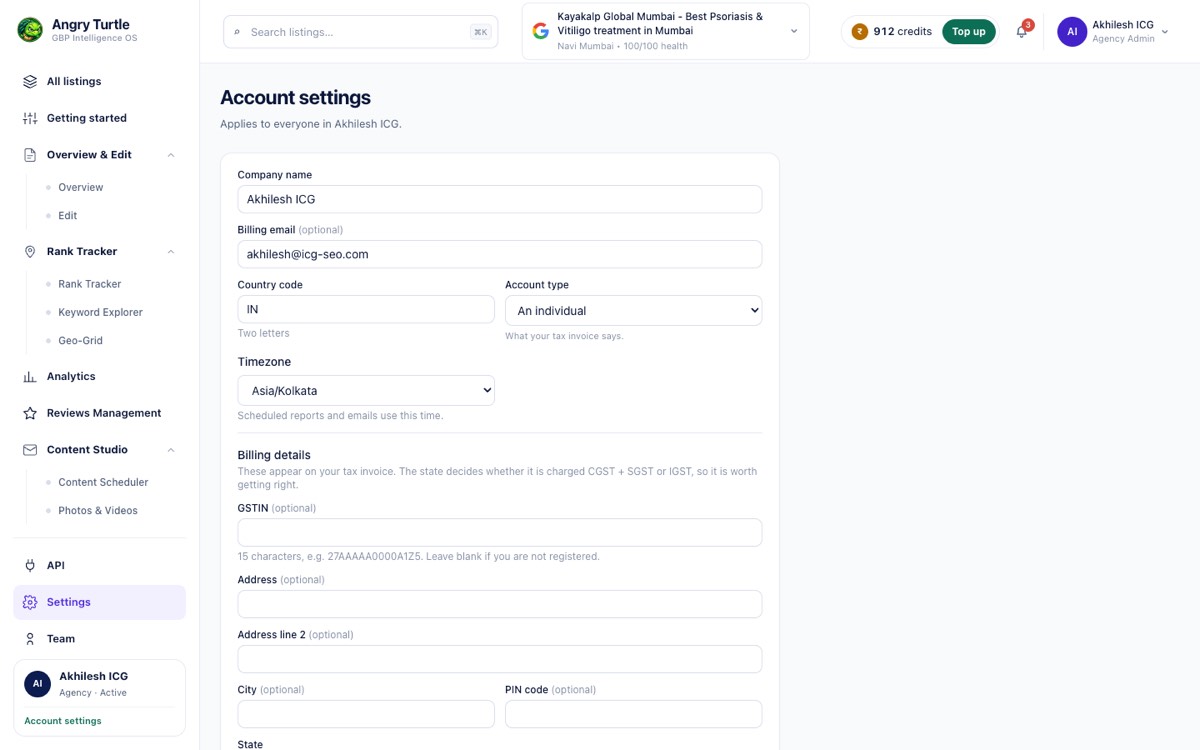
Settings.
Account, brand and notification settings for the workspace.
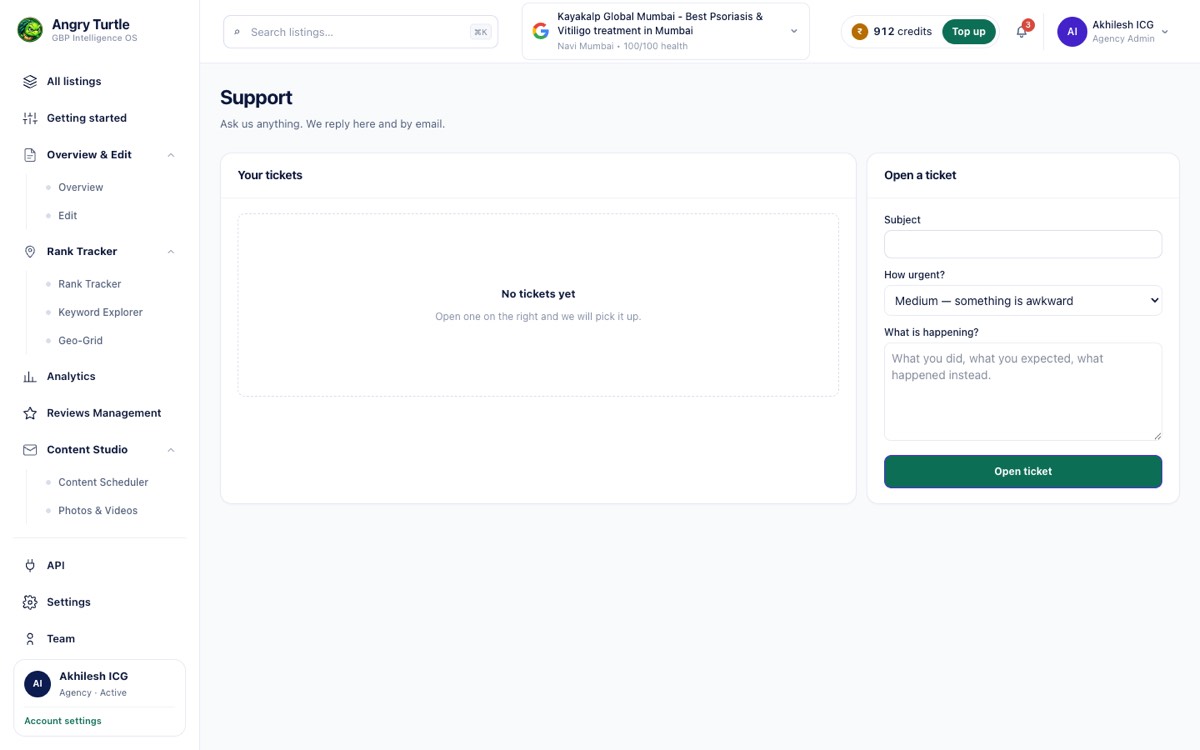
Support.
In-product support, so a stuck listing does not wait on an email thread.
Each module, in full.
The tour shows the screens. These pages explain what each module does, how it works and what it costs you in effort.
Rank OS Scoring
One transparent 0–100 score, split into the 5 weighted levers that move the map pack — with the top 3 fixes ranked by expected point lift.
Explore Rank OS ScoringGeo-Grid Rank Maps
A colour-coded grid showing your true rank at every point around your business — with a pin checker for any pincode and a rank tracker for every keyword.
Explore Geo-Grid Rank MapsAI Reviews + Virtual CMO
On-brand, one-click AI replies to every review — plus a Virtual CMO grounded in your own data, and a Brand Identity-vs-Image gap read that shows how customers really perceive you.
Explore AI Reviews + Virtual CMONAP & Citation Intelligence
A live directory-presence matrix of every listing that has your business wrong — with duplicate detection, missing-citation gaps and a prioritised fix list.
Explore NAP & Citation IntelligenceOne-Click Google Posting
Write once and publish an offer, event or update across all your listings on a schedule — a freshness signal that feeds your Rank OS score.
Explore One-Click Google PostingCompetitor Intelligence
A standardised view of your top-5 local rivals — ratings, review volume and the Us-vs-Competitor citation landscape — with the gaps you need to close.
Explore Competitor IntelligenceInsights & Performance
Real GBP metrics — views, calls, directions, clicks — split by branded vs discovery, over any date range.
Explore Insights & PerformanceDemand Clusters & Momentum
Industry-aware keyword clusters with a momentum read and demand sizing, built from your own GBP data.
Explore Demand Clusters & MomentumAsk Maps / AIO Readiness
A per-listing question bank and visibility checks that show if your profile is a citable AI answer.
Explore Ask Maps / AIO ReadinessEdit Location (Write-Back to Google)
A full GBP editor with a live "how it looks on Google" preview — every change pushes straight to Google.
Explore Edit Location (Write-Back to Google)Brand Identity vs Image
Your canonical brand story set against how reviews say customers really see you — plus the gap and the fix.
Explore Brand Identity vs ImageAgency OS
Multi-tenant, white-label local SEO with roles, metered credits, client portals and a full API.
Explore Agency OSSee it against your own listings.
Bring one region. We will run the diagnosis on your real profiles and show you the same screens with your data in them.